
Project Overview
A client using iClosed for appointment booking needed an efficient way to classify and route leads. The goal was to ensure:
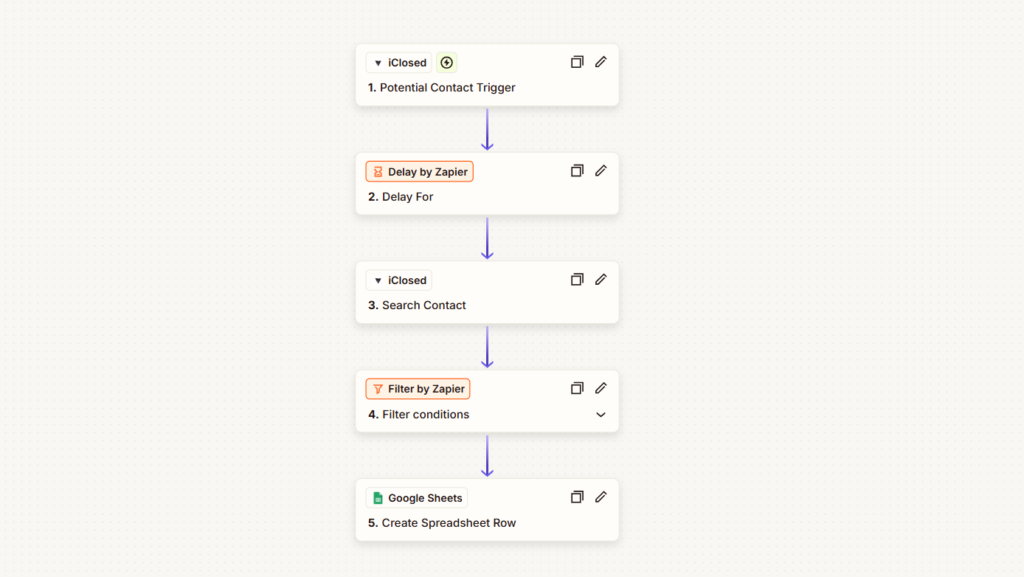
- Potential leads (users who started but did not complete the form) were logged in Google Sheets.
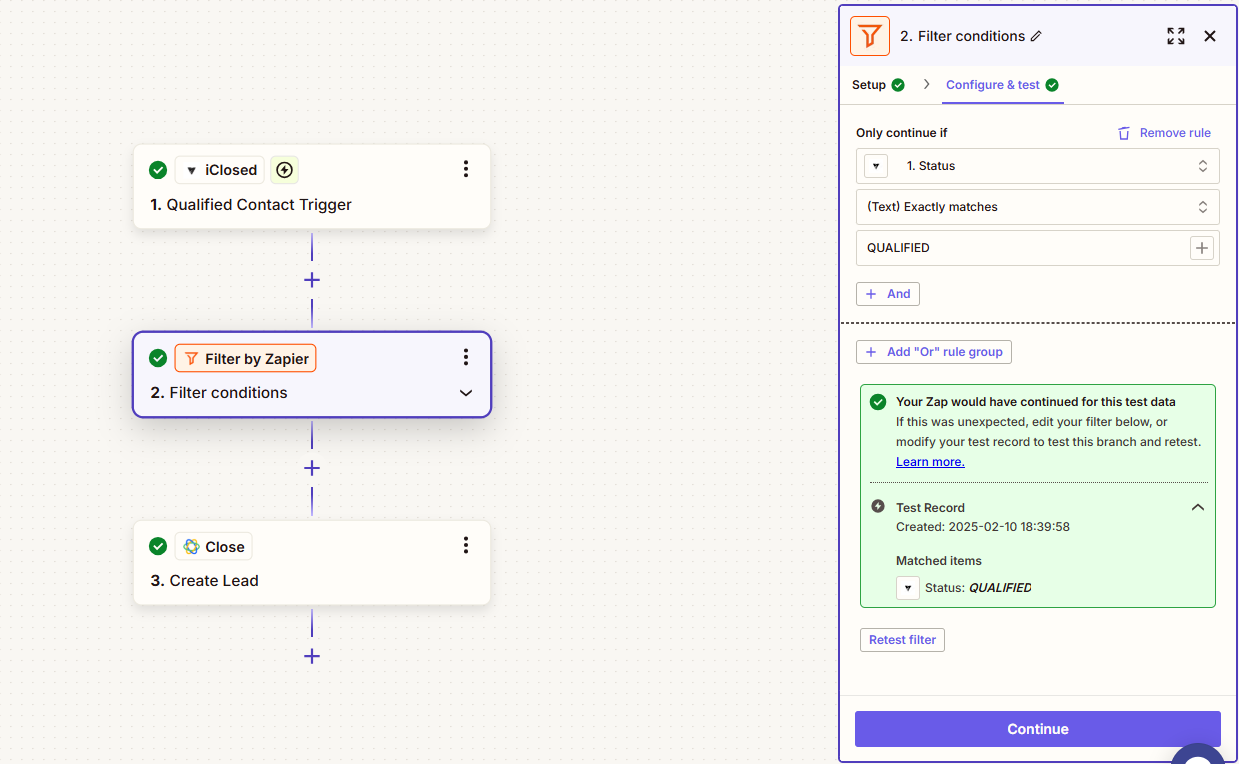
- Qualified leads (users who completed the appointment booking) were recorded in Close CRM.
- No duplicate entries—qualified leads should not appear in both systems.
Challenge
Initially, two separate Zapier workflows (Zaps) handled this process:
- A Zap for Potential leads triggered when users entered their name and phone number.
- A Zap for Qualified leads triggered when users completed the full booking.
However, a critical issue arose:
- Qualified leads were also appearing in Google Sheets, causing duplicate data entries.
- As soon as users entered their phone number, Zapier classified them as Potential, even if they later completed the form.
- This led to data misclassification, affecting reporting and CRM segmentation.
Solution
To resolve this, we redesigned the Zapier automation with a delayed verification approach:
Introduced a “Delay by Zapier” Action
A 5-10 minute delay was set to allow users time to complete their booking before processing their data.
Added an “iClosed – Search Contact” Step
After the delay, the Zap checked iClosed using the phone number to determine the user’s latest status.
Updated Zapier’s Filtering Logic
Instead of filtering by Event Type, the new filter used the “Status” field retrieved from iClosed.
If the status remained “Potential”, the lead was logged in Google Sheets.
If the status changed to “Qualified”, the lead was recorded in Close CRM—avoiding duplication.